

Is it time to say goodbye to Jupyter once and for all?
Although a lot of people still think of Colab as “Jupyter in the Cloud“, something they reach for when they need GPU power rather than a primary environment.
I genuinely think these latest updates are tipping the balance.
Colab is not only integrating much more naturally into our existing workflows, but also offering powerful features that are simply hard to match.
Let me show you exactly what I mean, and at the end of the article, I’ll share my opinion on which is my tool of choice.
Update 1: The VS Code Extension for Colab
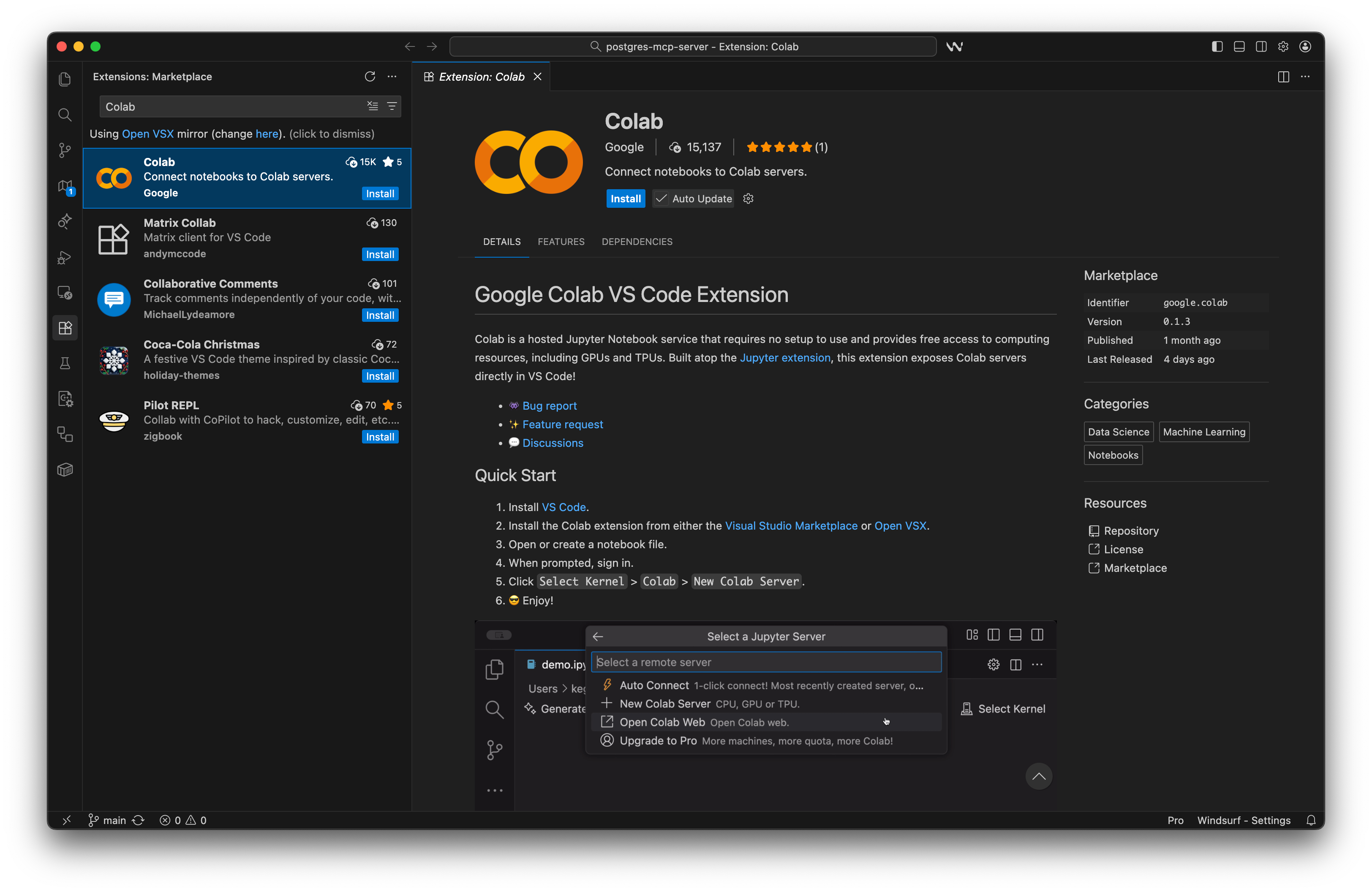
Google released an official VS Code extension for Colab notebooks, allowing you to open, edit, and run Colab directly inside the VS Code interface, or one of its forks like Windsurf, Cursor AI, etc.
Why this matters:
You get the full VS Code experience: richer editing, better linting, extensions, file navigation, Git integration, and more.
The execution still happens on Colab’s backend, meaning you keep the speed and GPU access, but with a real development environment on top.
For analysts and data scientists who already use VS Code for Python development, this single update removes one of the biggest sources of friction.
Update 2: Free Access to Gemini and Gemma Models
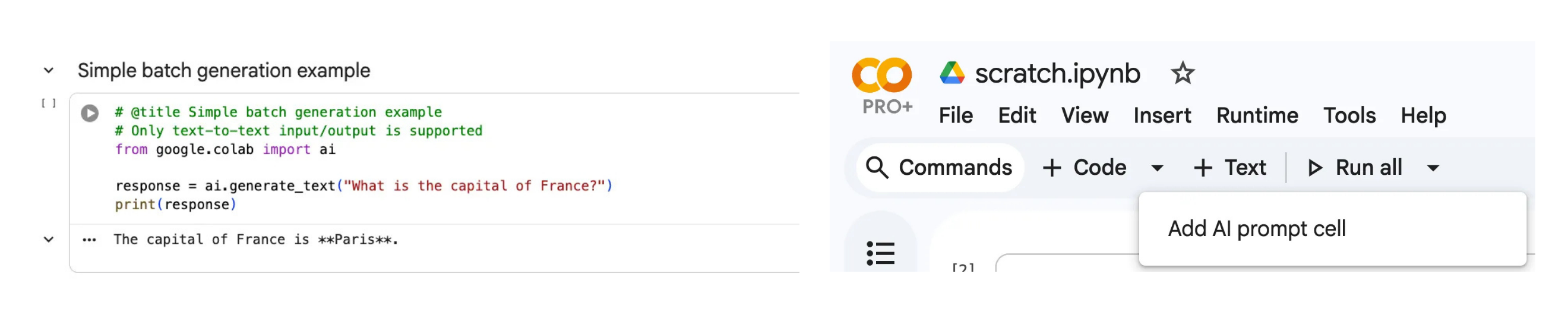
Google Colab just announced two updates that make their generative AI features more accessible to everyone:
The google.colab.ai Python library is available to all Colab users, including free-tier users, which gives you access to their Gemini and Gemma models.
The AI Prompt Cell for a more intuitive no/low code AI workflow. It is basically a dedicated cell type designed for low-code interaction with LLMs.
Check out this notebook to get started.
Update 3: Colab Data Explorer: One-click access to Kaggle datasets and models
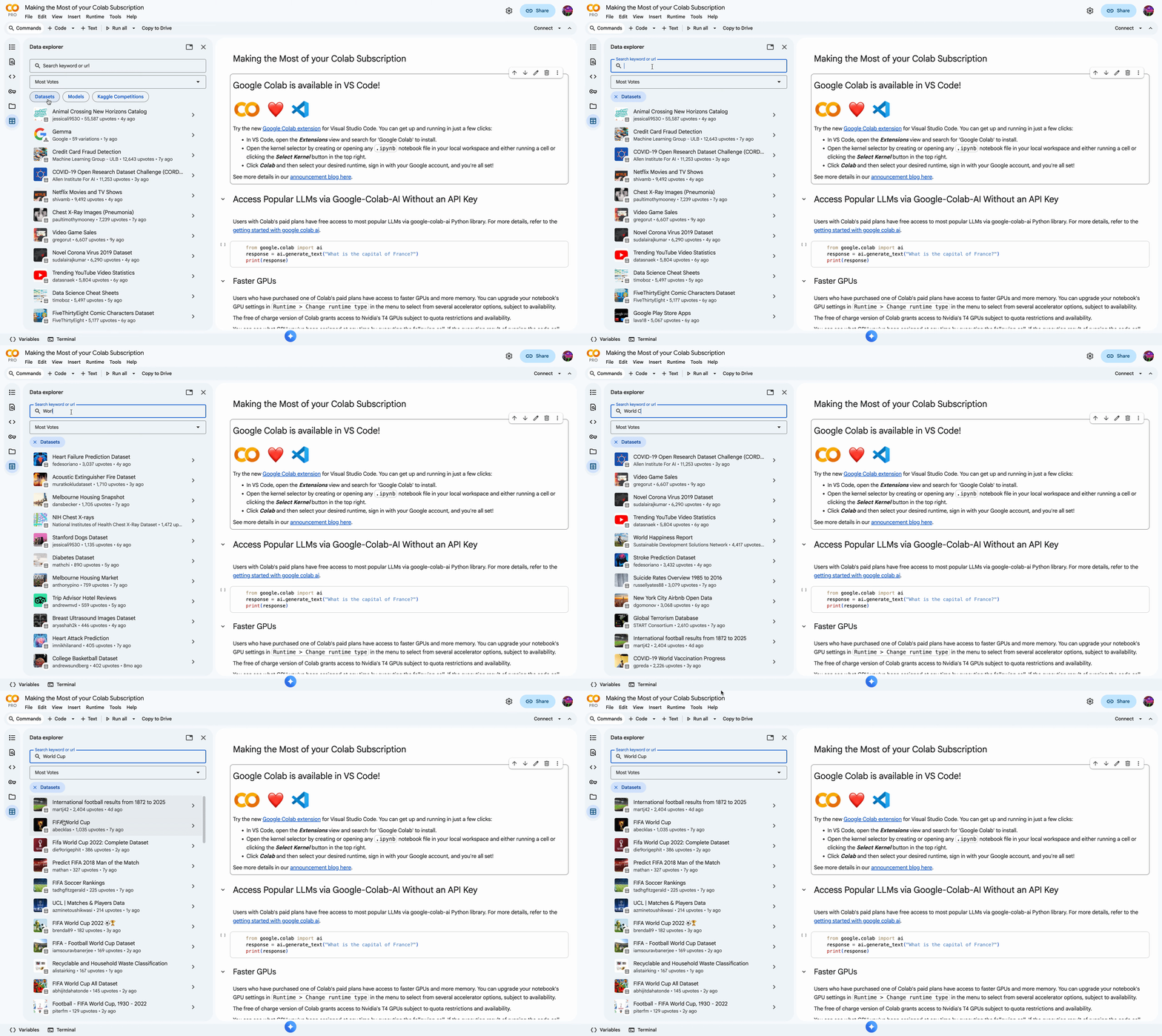
Kaggle and Google have collaborated to introduce the Colab Data Explorer, a new feature that allows users to seamlessly search and access Kaggle datasets and models directly within Google Colab.
You no longer have to introduce any code or leave your notebook, just browse from the sidebar, pick what you need, run the snippet, and start working.
This integration streamlines the workflow for data scientists and ML engineers by enabling them to find and incorporate relevant datasets and pre-trained models without leaving their Colab environment.
My opinion: Colab vs Jupyter
Jupyter has been my default analysis environment since I graduated from university back in 2017.
And their recent updates to their Jupyter AI extension really felt like the right move forward in keeping up with how AI-assisted coding is becoming a natural part of how we explore data, iterate on ideas, and write production-ready analysis today.
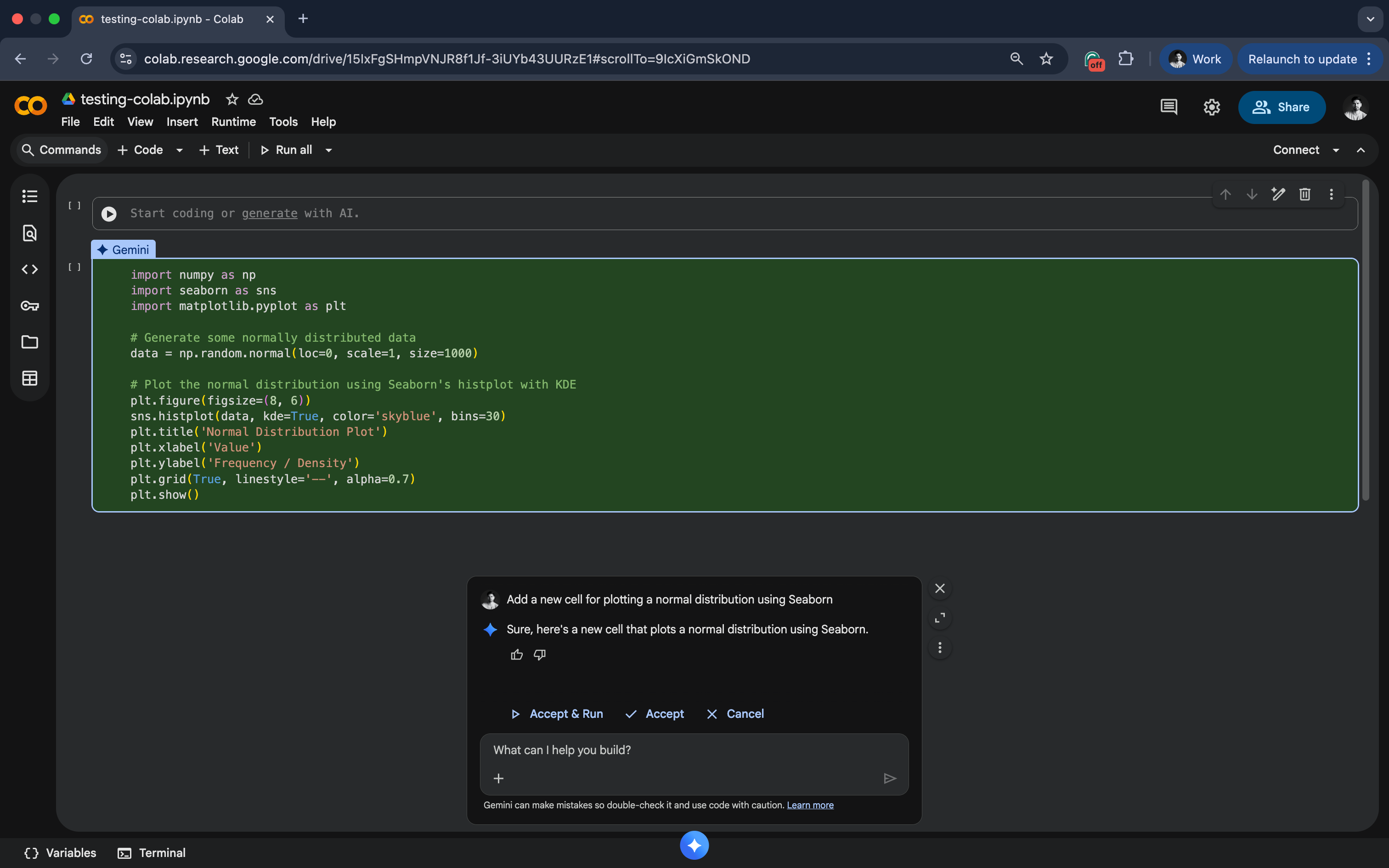
But Colab is evolving fast, and these three updates, combined with its seamless integration of Gemini chat, put it at the clear top for fast experimentation, collaborative work, and AI-first workflows without friction.
To me, the only reason Jupyter still ranks high is how naturally it fits into a properly set up data science project, where notebooks are the starting point rather than the end, with your environment, your dependencies, and no surprises when you reopen the notebook a week later.
But I’m curious to hear your thoughts…
A couple of other great resources:
🚀 Ready to take the next step? Build real AI workflows and sharpen the skills that keep data scientists ahead.
💼 Job searching? Applio helps your resume stand out and land more interviews.
🤖 Struggling to keep up with AI/ML? Neural Pulse is a 5-minute, human-curated newsletter delivering the best in AI, ML, and data science.
Thank you for reading! I hope you found this breakdown useful.
- Andres Vourakis
Before you go, please hit the like ❤️ button at the bottom of this email to help support me. It truly makes a difference!