

Want to see how these systems actually work?
When I was learning MLOps and Agentic AI, I read articles, books, and watched a lot of videos. They helped, but what I really wished I had was a way to see one of these systems in action, click through it, and see how all the pieces actually fit together.
And honestly, even after building them myself, I would have loved that, just to connect the dots and see which patterns carry over from one system to the next.
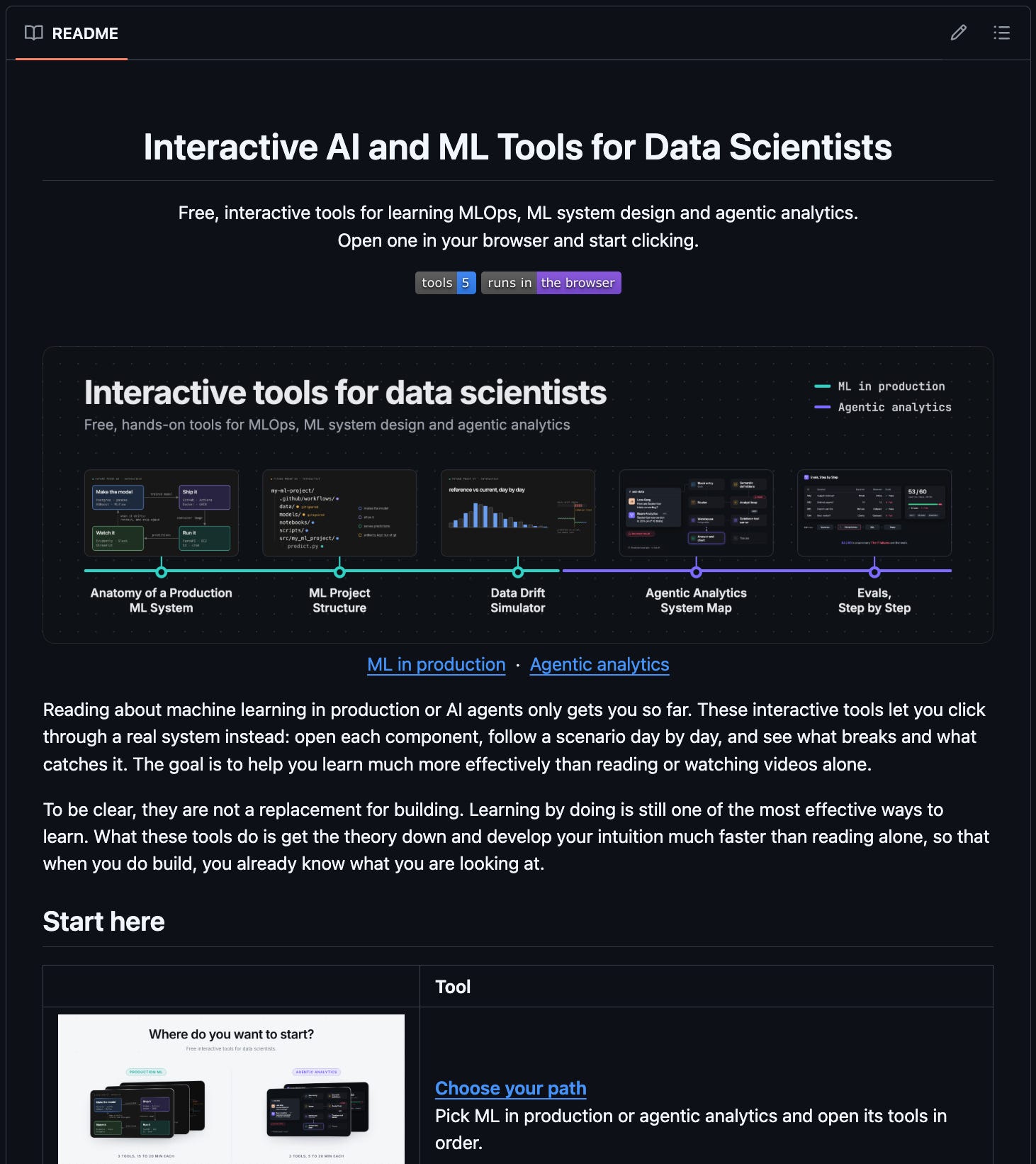
So over the past few months, I built 5 free, interactive tools that do exactly that, covering two areas that will matter a lot for Data Scientists as we enter 2027: ML in production and agentic analytics.
You can explore each one in 5 to 20 minutes, without setting anything up.
To be clear, they’re not a replacement for building. But they’ll help you get the theory down and build intuition much faster, so when you do build, you already know what you’re looking at.
Let give you a quick walkthrough…
If you want to learn ML in production
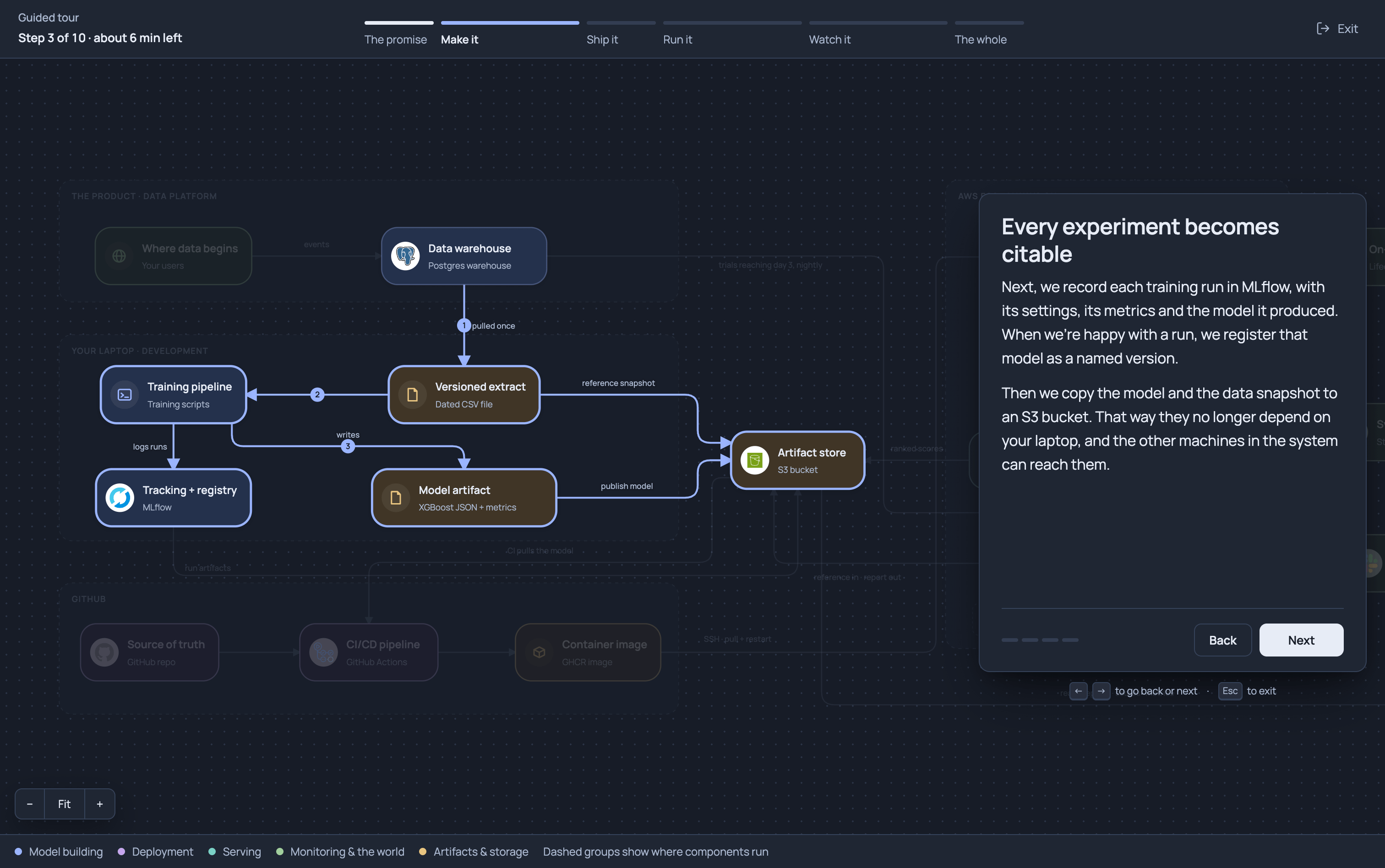
Tool 1: Anatomy of a Production ML System
Getting a model to work in a notebook is one thing. Getting it to run reliably in production takes a whole system around it: training, experiment tracking, CI/CD, model serving and drift monitoring.
This tool maps out that entire system, so you can see what each piece does and how they all fit together.
Tool 2: ML Project Structure
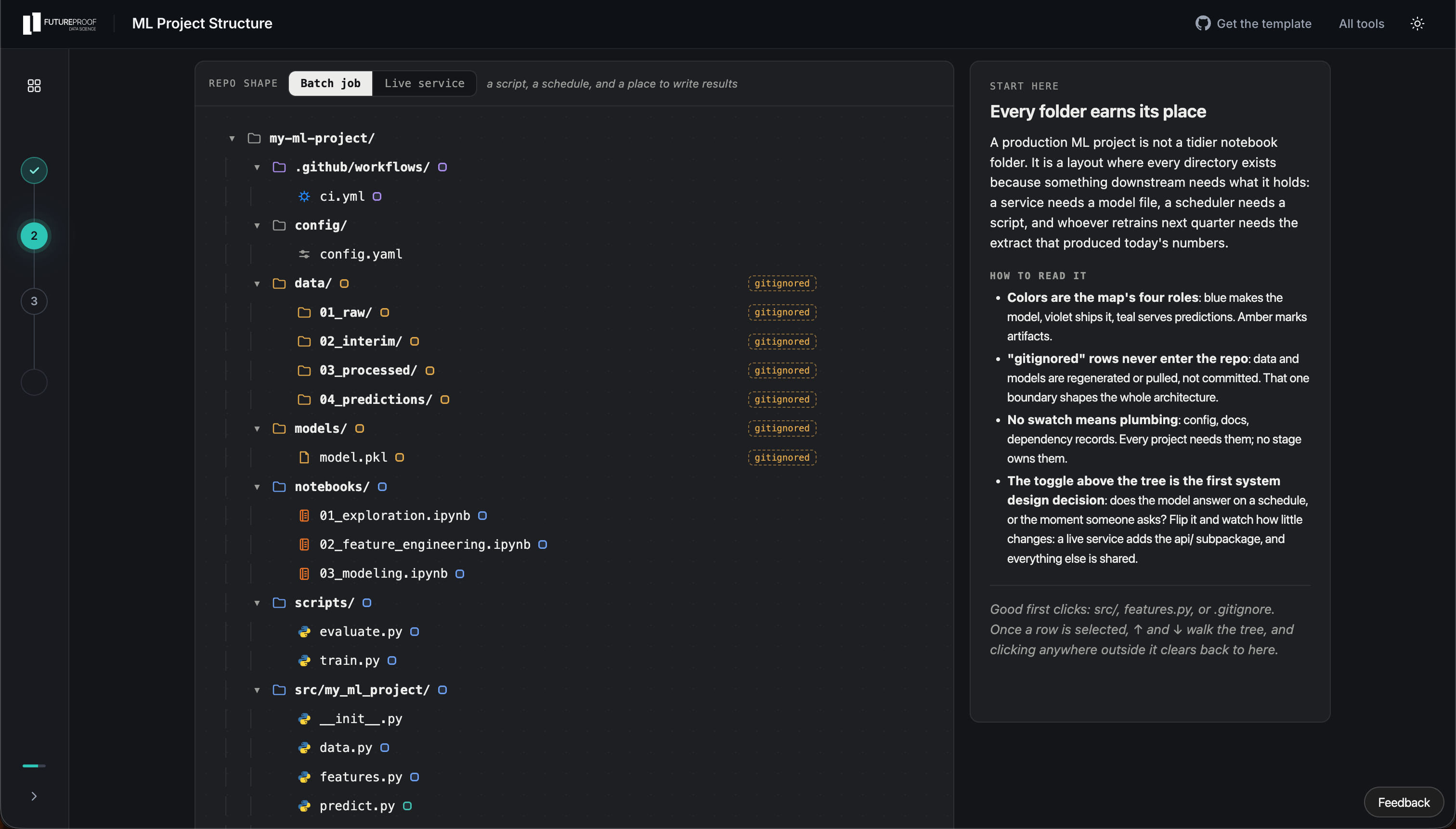
In my experience, one of the first things that trips people up when they move beyond notebooks is how to organize a real ML project. Where does the training code go? What about the configs, the tests, the API?
This tool walks you through the folder layout of a production ML project, file by file, so you know where each file lives and why it’s there.
Tool 3: Data Drift Simulator
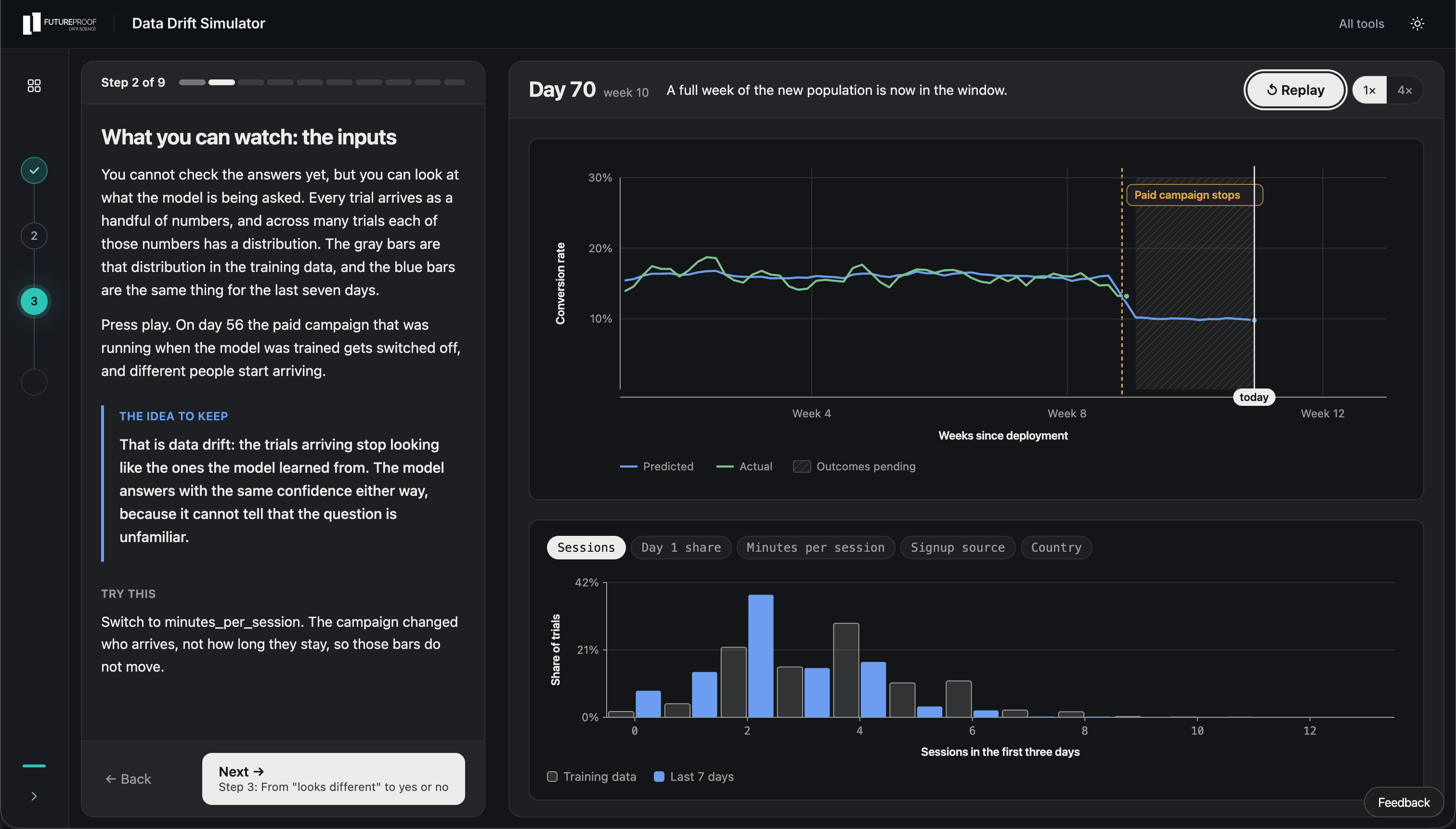
Once a model is deployed, the data it sees keeps changing, and a lot of times, nobody notices until the predictions are already off.
This tool lets you follow six months of a deployed model’s inputs and see how a drift check catches those changes.
If you want to learn agentic analytics
Tool 4: Anatomy of an Agentic Analytics System
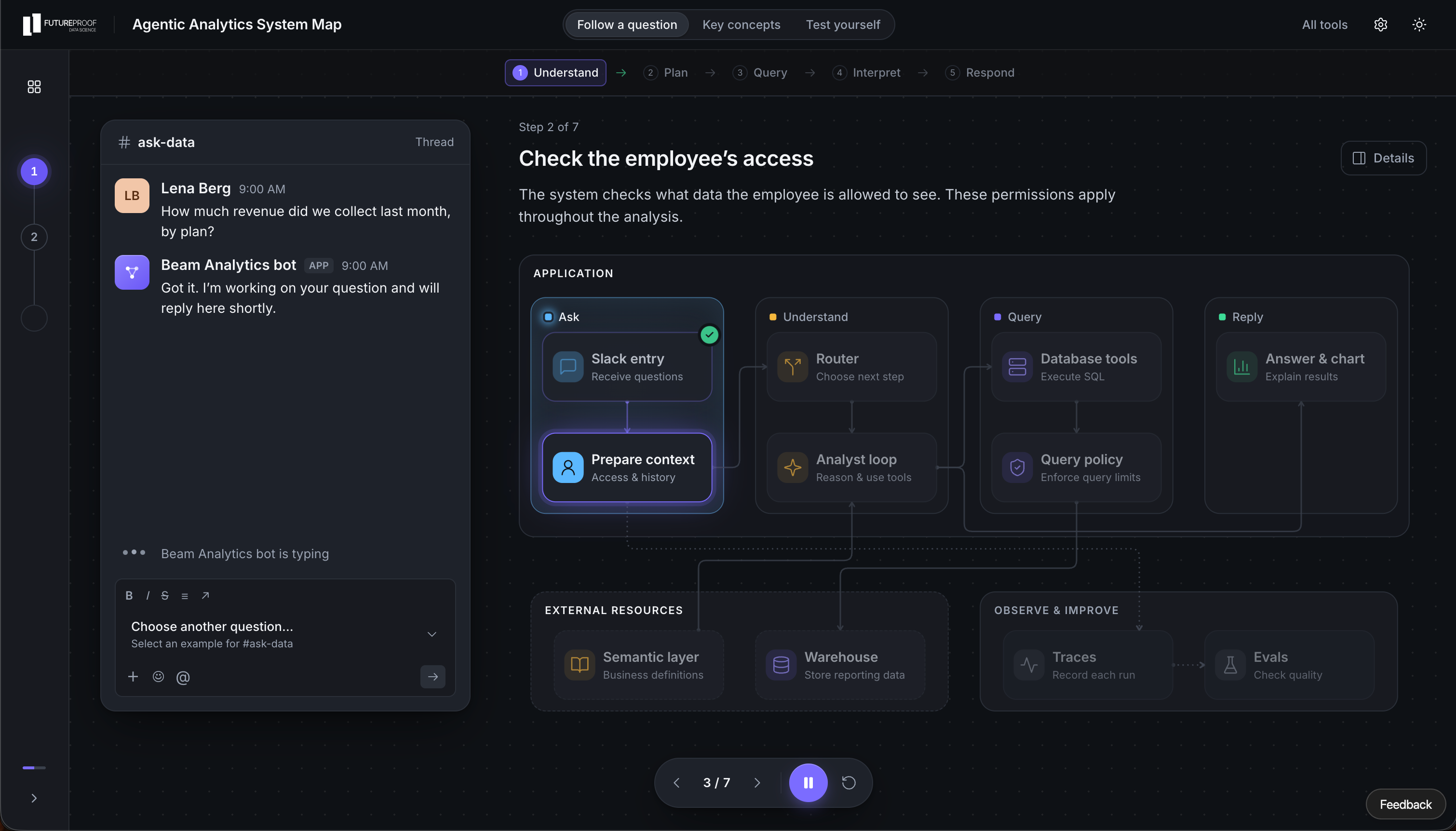
When you ask an analytics agent a question in Slack, it feels like a single step. Behind the scenes, though, your question goes through conversation context, routing, metric definitions, SQL, and guardrails before you ever see a number.
This tool maps out that whole system so you can see how each piece works and how they fit together.
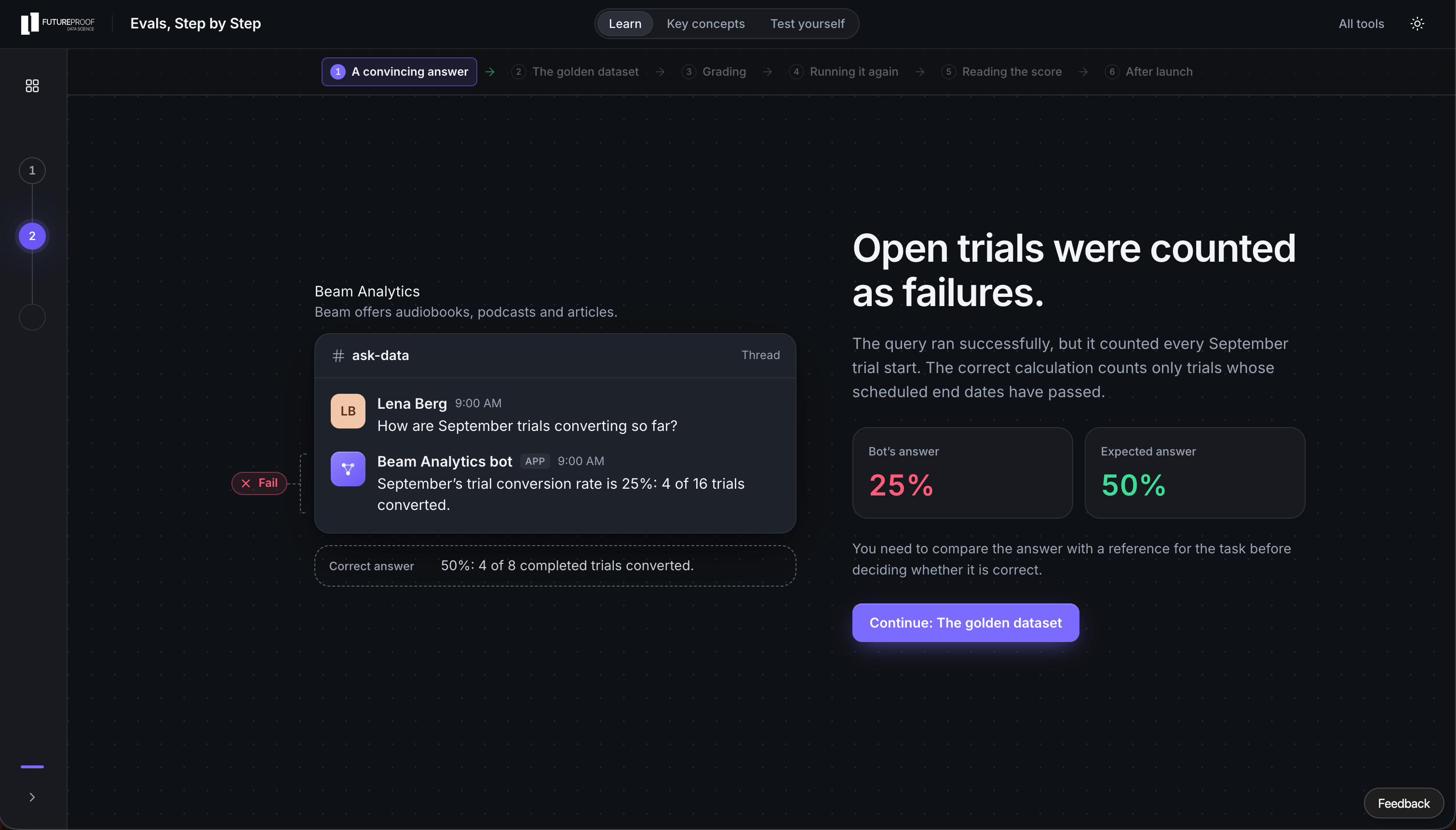
Tool 5: AI Evals, Step by Step
This part will only become more crucial as more of these systems make it to production.
You fix a mistake and the answer looks right, but how do you know you didn’t break three other questions that worked fine yesterday? That’s what evals are for.
This tool walks you through the basics of testing an analytics agent, so you can tell a correct answer from one that only sounds convincing.
This is just the beginning
I plan to keep adding new tools to the hub over time. Just let me know what you would find useful.
Oh, and they’re all on GitHub too, so give the repo a ⭐️ if you don’t want to miss the new ones.
A couple of other great resources:
🚀 Want to connect? I share daily resources, AI insights, and career advice for data scientists over on LinkedIn.
🎥 Want to follow along on YouTube? I just launched a channel for data scientists. Don’t forget to subscribe to not miss any videos.
Thank you for reading! I hope you enjoy the tools!
- Andres Vourakis
Before you go, please hit the like ❤️ button at the bottom of this email to help support me. It truly makes a difference!